Open and work
The installer includes the runtime. Harness starts in the background without exposing a console window.
Open source · latest release v0.2.4
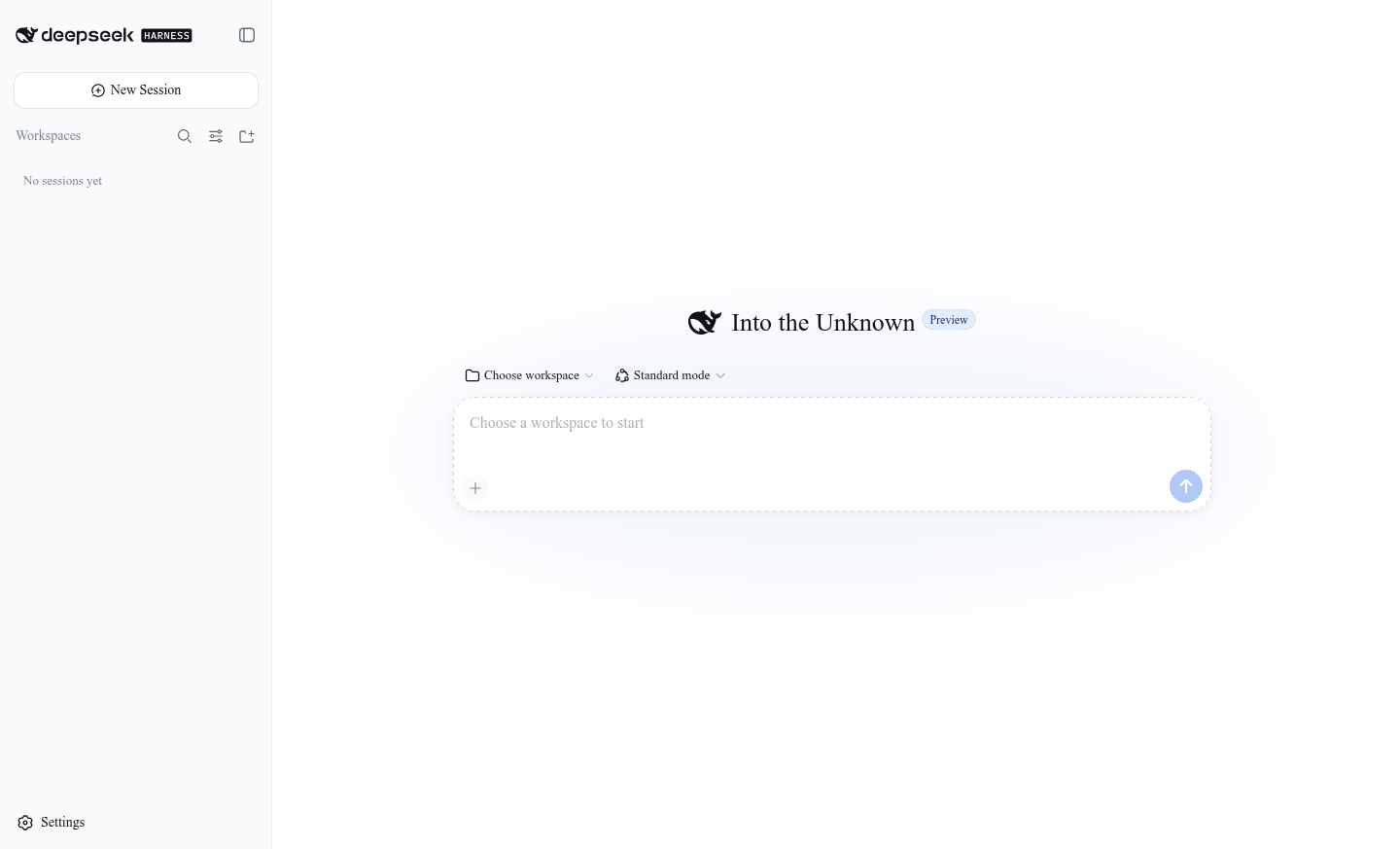
A self-contained desktop host for the unmodified upstream Harness Web UI. Install it, open it, and start working on Windows, macOS, or Linux.
Self-containedNode.js + native Harness runtime
Cross-platformWindows, macOS, and Linux
Quiet updatesDownloaded in the background
Open sourceMIT licensed desktop host
Built for daily use
The upstream Web UI stays intact. The desktop app handles everything around it: startup, process health, updates, recovery, notifications, and support data.
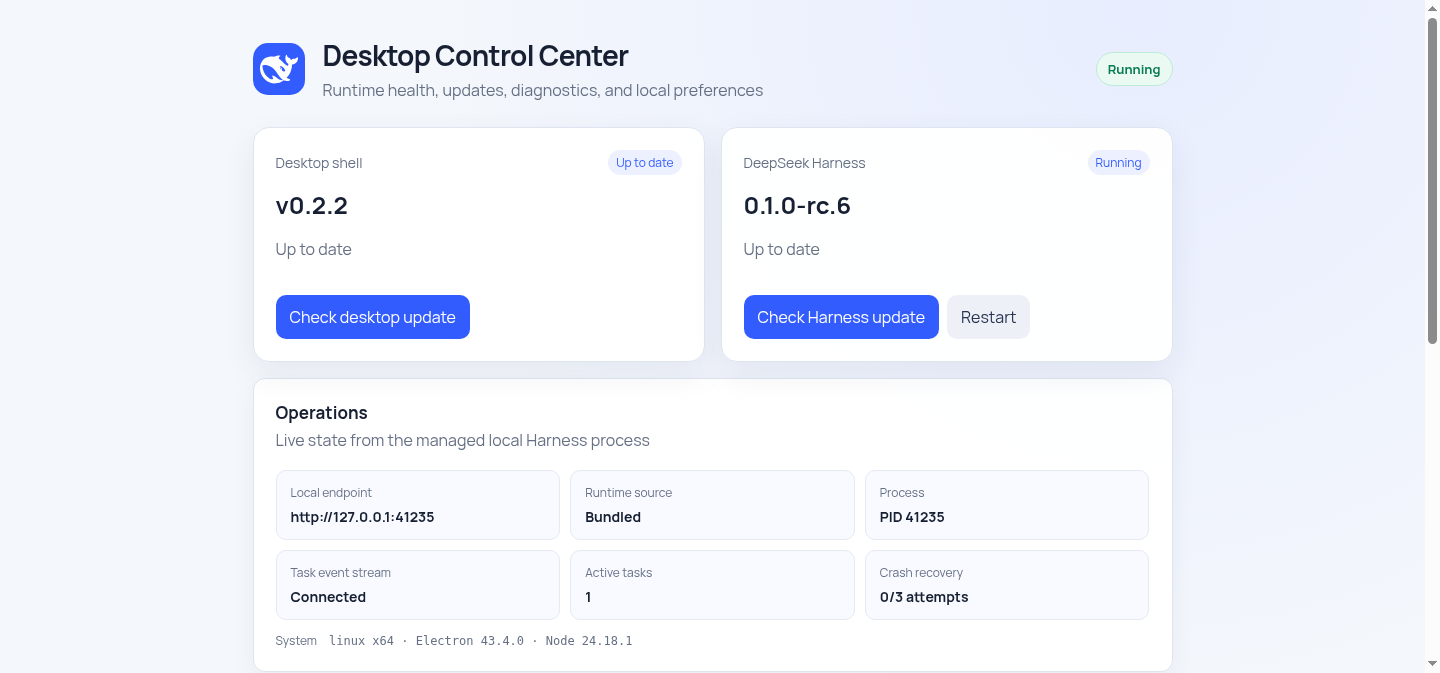
The installer includes the runtime. Harness starts in the background without exposing a console window.
Close to the tray, receive task-completion notifications, and reopen the same managed session.
Harness and desktop updates are checked after launch, staged in the background, and activated on the next restart.
The control center exposes runtime health and exports a bounded, redacted diagnostic bundle for support.
Download v0.2.4
Current installers are unsigned. Check the published SHA-256 file after downloading.
x64 · Setup EXE
Apple Silicon / Intel · DMG
x64 · DEB / AppImage

Clear project boundary
DeepSeek Harness supplies the agent runtime, plugin system, and Web UI. This repository supplies the Electron host, process lifecycle, staged updates, diagnostics, tray integration, and native installers.
This is an unofficial community project and is not a DeepSeek product.